

Recipes · costs · allergens · nutrition

Every recipe, costed from what your kitchen pays.

a Kitchen Society keeps an organization's recipes in one library and prices each kitchen's version from its own invoices and order guide. Home cooks get the same costing from the prices they type in or pull from Kroger.

Sign in

Accounts are by invitation.

The recipe page

Cost, allergens and nutrition on the recipe itself

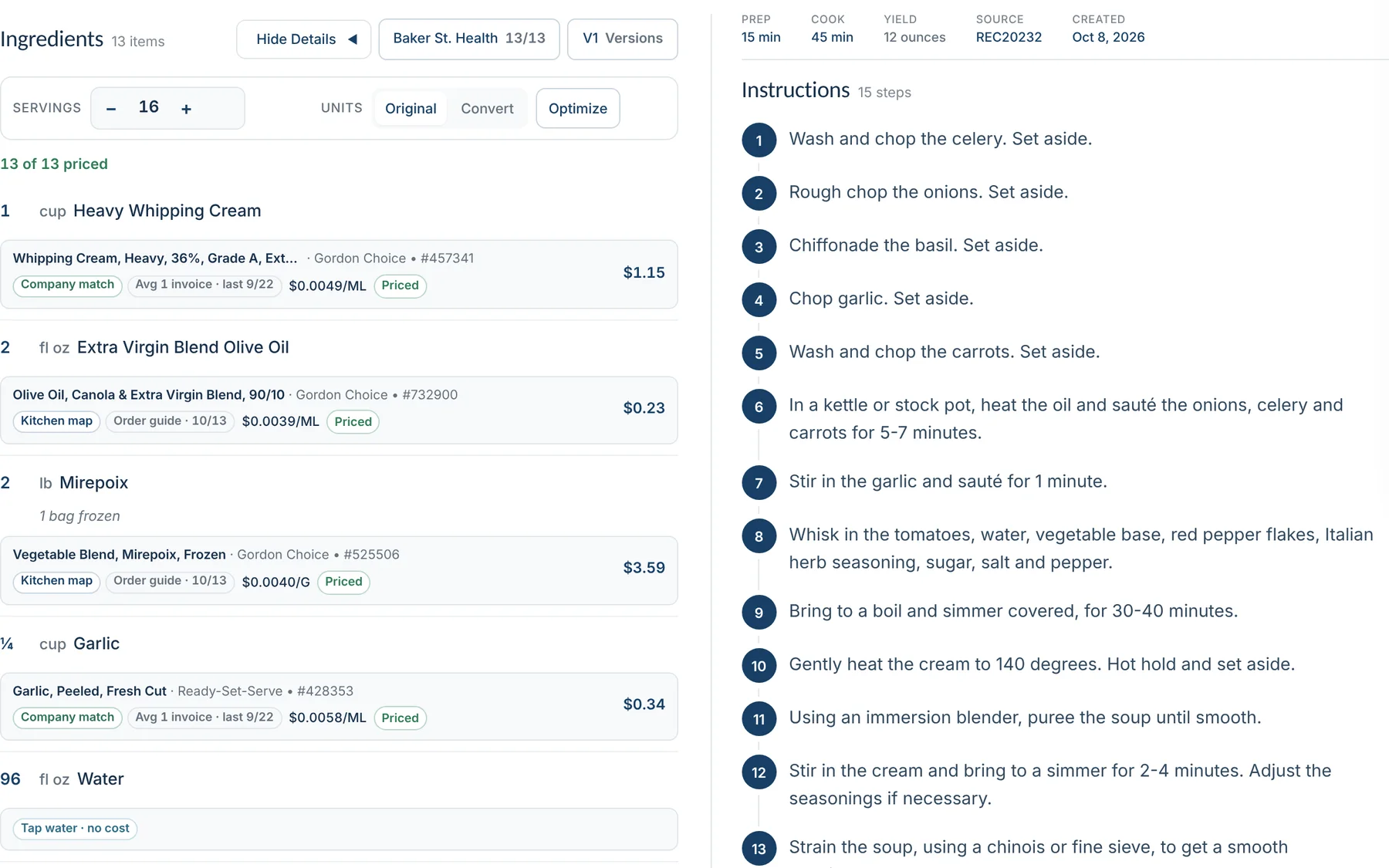
Each ingredient line shows the product it was priced from, where that price came from and its date. Change the servings and every quantity and cost follows — including sub-recipes.

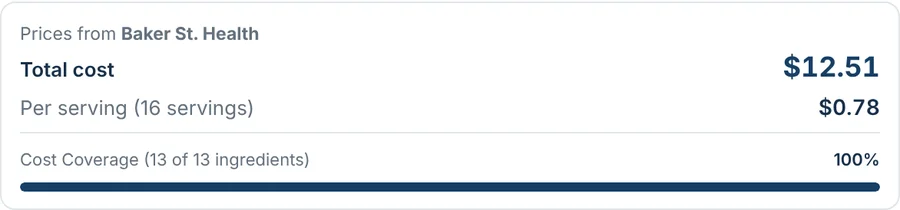
  • Batch and per-serving cost, with coverage shown so a partial cost is never mistaken for a complete one.
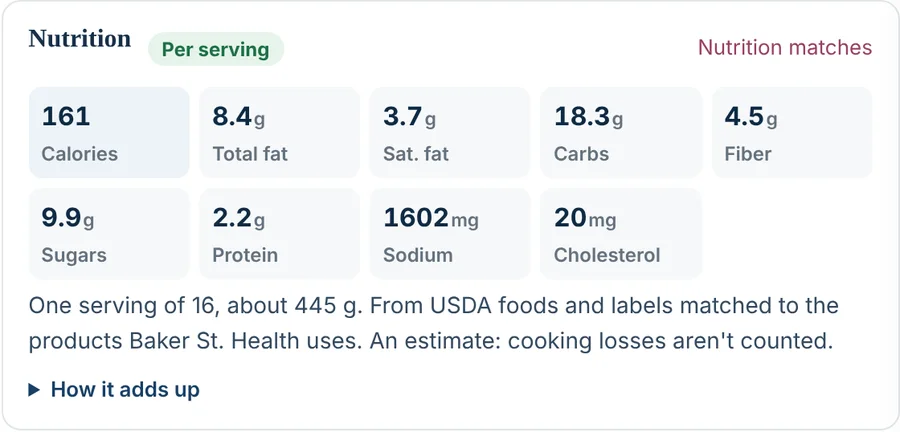
  • Nutrition per serving from USDA FoodData Central and Open Food Facts, matched to the products the kitchen buys.
  • Allergens from those products plus what a chef adds by hand, with a review queue for the gaps.
A recipe page: costed ingredient lines on the left with the product, price source and line cost; numbered instructions on the right
Cost summary: total cost $12.51, $0.78 per serving, 13 of 13 ingredients priced
Batch and per-serving cost
Nutrition per serving: calories, fat, carbohydrates, fiber, sugars, protein, sodium, cholesterol
Nutrition per serving
Allergens panel: Contains Dairy, with the note that a chef added it on the recipe
Allergens, reviewed

How it works

  1. Bring the recipes

    Type them, import from a web page or a PDF, or build on one that exists. Sub-recipes nest inside the dish and scale with it.

  2. Price each kitchen's version

    Prices come from the kitchen's invoices and order guide in WanderingWU, from Kroger, or from what you paid. Pack sizes, yields and densities turn cases into portions and cups into pounds.

  3. Cook, print, share

    Approval and versions per kitchen. A one-page print at any serving count, portrait or landscape, with or without the photo. Costs go back to WanderingWU for menu planning and food cost.

What's in it

One library, many kitchens

Organization recipes with each kitchen's own version, its own prices and its own approval status.

Priced from real purchases

Invoice and order-guide prices through WanderingWU, Kroger retail prices, or a price you type in with the pack size.

Conversions that hold up

Pack specifications, batch yields and ingredient densities, and count units a cook actually uses: cloves, cans, sprigs.

Nutrition and allergens

Per-serving nutrition from USDA and Open Food Facts; allergens from the products and from the chef, with a review queue.

Import and print

Recipes from a web page or a PDF. A clean one-page print for the line, scaled to the servings you set.

Connected to WanderingWU

Purchased items and order guides come in; recipe costs go out to menu planning and sales reporting. The sync picks up where it left off after a dropped connection.

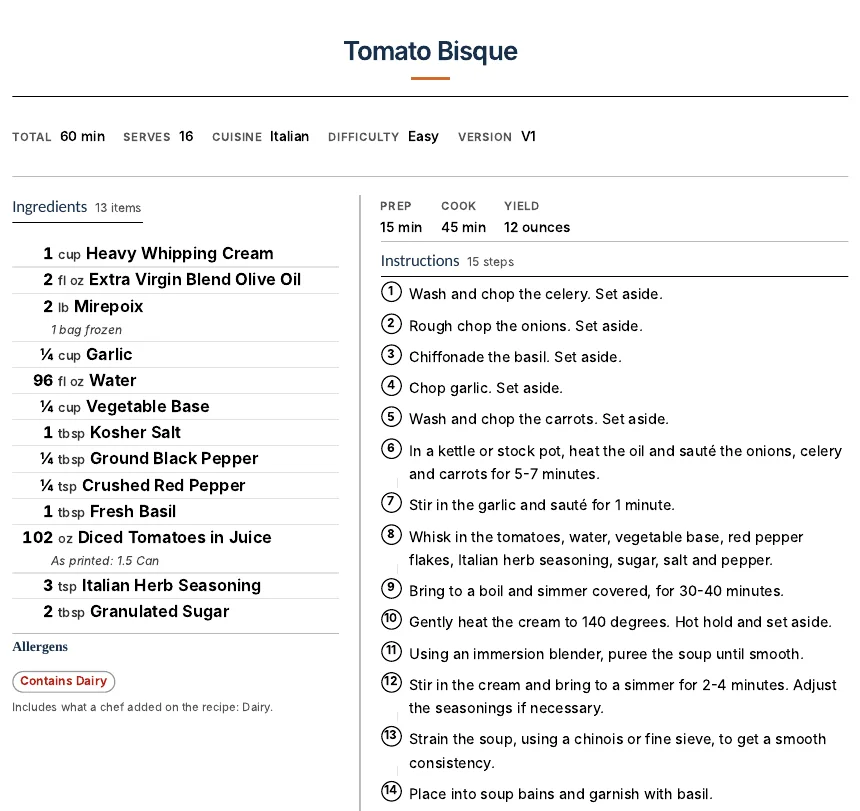
The one-page recipe print: facts under the title, ingredients on the left, numbered steps on the right, nutrition at the bottom
The one-page print

For kitchens and organizations

One recipe library across your kitchens.

  • Each kitchen's recipes costed from its own price list: the invoices and order guide in WanderingWU.
  • Allergens and nutrition from the products you actually buy.
  • Recipe approval, and each kitchen's own version of a shared recipe.
  • Recipes sent to WanderingWU for menu planning and food cost.

For home cooks

Your recipes and your own pantry.

  • Save recipes, or import them from a page or a PDF.
  • A pantry of your own that grows as you add ingredients.
  • Type what you paid at any store — or pull Kroger prices — and every recipe shows what it costs to make.
  • Allergens and nutrition for every recipe.

Part of an organization that already uses a Kitchen Society? Your organization's admin sends the invites: ask them for one.

Built by a working chef, for kitchens that have to answer for their food cost. Accounts are by invitation. How we hold data · Privacy

a Kitchen Society

Request an invite

Who is it for?